An inbound email API is the better fit when a developer wants every new message pushed to their own code, and an email parser app is the better fit when you want Gmail data in Google Sheets without writing or hosting anything. For a non-developer who already lives in Gmail and Sheets, the parser app wins on setup, history and upkeep. The API wins only when you control the sending domain and have an engineer to maintain the pipeline.
This guide compares four inbound email services (Mailgun, Postmark, SendGrid and CloudMailin) with two parser apps (Mailparser and xtractor.app), shows what each costs at 500, 3,000 and 10,000 emails a month, and walks through one worked example for a small online store.
What is the difference between an inbound email API and an email parser?
An inbound email API receives mail at an address you point to it and posts each message to a web address you run, while an email parser app reads emails and hands you the extracted fields. The API gives you the raw material and leaves the rest to you. The parser app does the extraction too. For more on the API side, see the Email Parser API article.
With an inbound API, the path from Gmail to a sheet has these steps:
- Own a domain or subdomain and add an MX record that points to the provider (SendGrid, for example, asks for
mx.sendgrid.netat priority 10 on a dedicated hostname). - Forward the emails you care about from Gmail to an address on that domain.
- Write and host a web endpoint that receives the provider’s POST. Mailgun and SendGrid send
multipart/form-databy default, while Postmark and CloudMailin send JSON. - Write the code that pulls the order number, amount or date out of the body text, then appends a row to a sheet.
With a parser app that runs inside Google Sheets, you pick the emails and the fields, and the rows appear. xtractor.app is a Google Workspace add-on that reads your Gmail account and writes the extracted values into Google Sheets as rows and columns.
How do the options compare?
Mailgun, Postmark, SendGrid and CloudMailin are built for developers, and Mailparser and xtractor.app are built for people who want a finished sheet. The table covers the points that matter for a Gmail to Sheets job. Every inbound API row assumes you supply the endpoint and the extraction code. Prices as of November 2026, read from each vendor’s page and billed monthly.
| Tool | What you get | Where results go | Past Gmail emails | Pricing basis (monthly billing) |
|---|---|---|---|---|
| Mailgun inbound routes | Routes match a recipient or header and forward to a URL or store the message | Your own endpoint | New mail only, after forwarding is set up | Free: 1 route. Basic from $15 (10,000 emails, 5 routes). Foundation $35 (50,000). Scale $90 (100,000) |
| Postmark inbound | Messages posted to your webhook as JSON | Your own endpoint | New mail only | Inbound processing is on Pro ($16.50, 10,000 emails) and Platform ($18); the $15 Basic plan does not list it |
| SendGrid Inbound Parse | Parsed fields (from, to, subject, text, html) posted to your URL | Your own endpoint | New mail only | Not stated in the docs; check SendGrid’s pricing page |
| CloudMailin | Mail converted to an HTTP POST as JSON, multipart or raw | Your own endpoint | New mail only | Free up to 10,000 emails a month, then Starter $25 (10,000), Professional $45 (20,000), Premium $85 (40,000) |
| Mailparser | Parser app with its own inbox | Google Sheets and other apps through its integrations | New mail only, forwarded to its inbox (Gmail forwarding needs a confirmation step) | Starter $29.95 (250 a month) to Premium $299.95 (10,000 a month) |
| xtractor.app | Google Sheets add-on reading your Gmail | A Google Sheet, then CSV or Excel download | Yes, search by subject, sender, date and content, with bulk import of thousands | Starter $24 (1,000 a month) to Business $129 (100,000 a month), per user |
Two limits stand out. First, every inbound API above only sees mail that arrives after you set it up, so last month’s orders stay in Gmail. Second, none of the inbound APIs writes to Google Sheets by itself. That last step is your code. We did not run speed or accuracy tests on any of these tools. The comparison rests on setup effort and on the vendors’ own documentation.
xtractor.app has its own limits. It works with Gmail only (no Outlook, Microsoft 365 or other mailboxes), it does not parse attachments such as PDFs, and it has no public API, webhooks or Zapier and Make integration. If you need mail from a non-Gmail inbox pushed to your own server, an inbound API is the right tool.
What do they cost at 500, 3,000 and 10,000 emails a month?
On the plan bill the inbound APIs are cheaper at every volume below: at 500 emails a month they cost $0 to $16.50 against $24 to $39.95 for the parser apps, and at 10,000 the gap widens ($0 to $16.50 against $75 for xtractor.app and $299.95 for Mailparser), so the real cost of an API is the build and upkeep. The figures below use monthly billing for every tool, one email counted as one email, and the cheapest plan whose published limits cover the volume.
| Monthly volume | Mailgun | Postmark | CloudMailin | Mailparser | xtractor.app |
|---|---|---|---|---|---|
| 500 | $0 (Free, 1 route, 100 emails a day) | $16.50 (Pro) | $0 (free tier) | $39.95 (Professional) | $24 (Starter) |
| 3,000 | $15 (Basic) | $16.50 (Pro) | $0 (free tier) | $299.95 (Premium, next tier above 2,000) | $45 (Pro) |
| 10,000 | $15 (Basic, at the plan’s limit) | $16.50 (Pro, at the plan’s limit) | $0 (free tier, at its limit) | $299.95 (Premium) | $75 (Premium) |
SendGrid is left out because its inbound parse docs give no price. If you pay annually, xtractor.app drops to $5 (Starter), $10 (Pro) and $20 (Premium) a month, and Mailparser’s yearly prices on its page start at $24.95 a month for Starter. Check each vendor’s pricing page before you decide, because plans change.
The API prices look lower, but they only buy the receiving end. Someone still has to write, host and fix the endpoint, and that is where the real cost sits. Starter on xtractor.app also allows only 2 saved searches and 2 fields per search, so a job that needs more than 2 fields moves to Pro (5 fields) at $45 a month, or $10 billed annually. If you want a different volume priced, xtractor.app offers custom plans and bulk pricing on request.
Which is more reliable when an email’s layout changes?
A parser app with rules you can edit handles a layout change by editing a rule, while an inbound API hands the change to your code. An inbound API delivers the same fields every time (sender, subject, text), but the values you want sit inside the body, and a regex written for last year’s template breaks quietly when the template changes. Nobody is alerted unless you build the alert.
In xtractor.app you edit the text-before and text-after rules or regex filters yourself, and multiple parsing contexts let one search cover emails whose format varies, such as two versions of the same order confirmation. It can also use AI to parse emails alongside the filters you define.
Which one should a non-developer choose for Gmail to Google Sheets?
Choose a parser app unless you need mail from outside Gmail or already have an engineer who will own the pipeline. A third route is a Google Apps Script that reads Gmail directly: it is free and needs no domain, but it is code you write and maintain, so it suits someone comfortable with scripting. Otherwise the decision depends on three things.
- You have no developer: use a parser app. An inbound API needs an MX record, a web endpoint and extraction code.
- You need past emails: use xtractor.app, which imports existing Gmail by search and in bulk. The inbound APIs see only new mail.
- You need the data in another server or app in real time: use an inbound API. xtractor.app has no webhooks and no API, and its scheduled imports run daily on Starter and Pro, every 4 hours on Premium and hourly on Business.
For a longer look at the Gmail side, see Send Gmail to Google Sheets automatically and how xtractor.app compares with other Gmail to Sheets tools.
What does a worked example look like for a small online store?
A store owner who gets about 40 order confirmation emails a day (roughly 1,200 a month) can have a reconciliation sheet running in an afternoon with a parser app, where the API route is a small software project. Say the owner wants the order number, order date, customer email, total and fee for each order, refreshed daily.
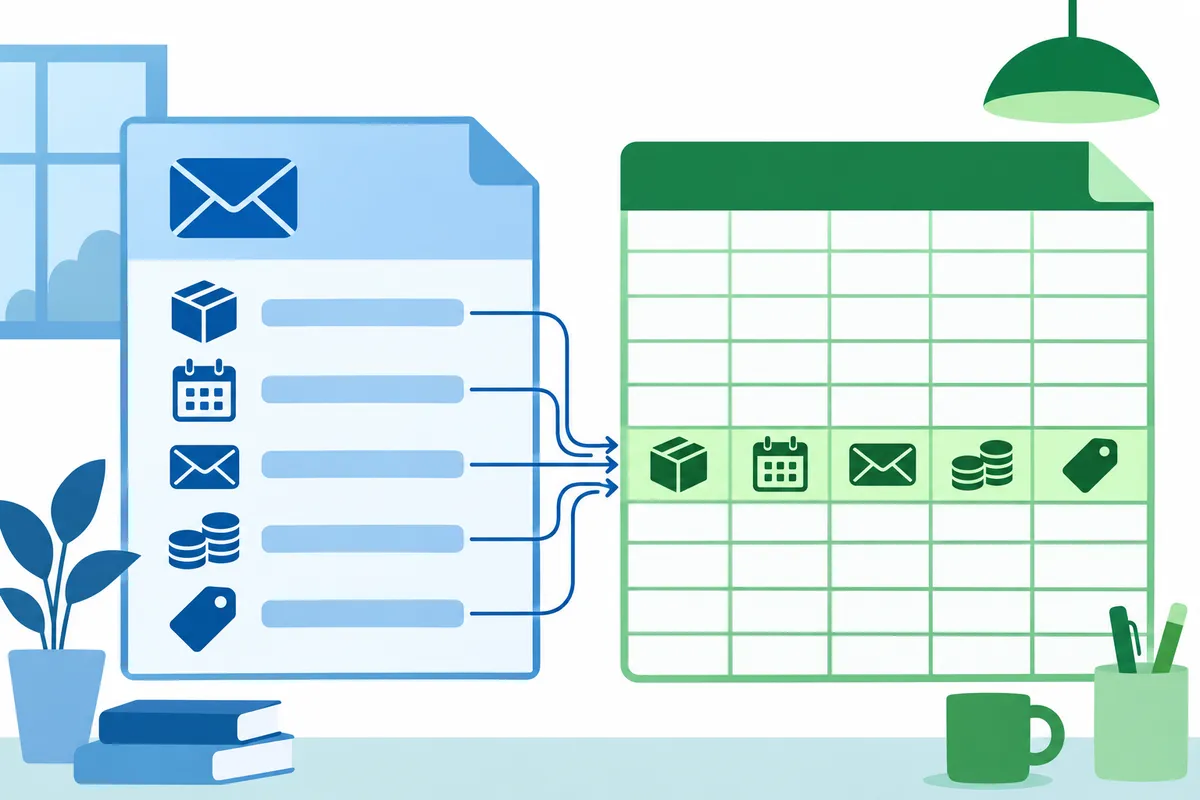
With xtractor.app:
- Install the add-on from Google Sheets and search Gmail by sender and subject.
- Define five fields with text-before and text-after rules. That is within Pro’s 5 fields per search, and 1,200 emails a month is within its 5,000 limit.
- Save the search and schedule it daily, which Pro supports.
- Download CSV or Excel from the sheet if the bookkeeper wants it.
The cost is $45 a month billed monthly, or $10 billed annually. With an inbound API such as Mailgun, you would set up the domain and MX record, forward the store’s order emails, build the endpoint and parsing code, and add error handling for template changes. The plan may cost $15, but the build is the larger expense, and last quarter’s orders are not in it. A related walkthrough is Extract Shopify emails to Google Sheets, and the wider field is covered in Free Email Parser: 6 Free Tools Compared and How to Choose.
Is xtractor.app safe to give access to my Gmail?
xtractor.app is CASA Tier 2 certified, an independent security assessment Google requires for apps that access sensitive data, and the extracted data stays in your own Google Sheet rather than in xtractor’s database. That matters when the emails contain customer details or receipts.
Frequently asked questions
Is Mailgun Inbound Parse the same as an email parser?
No. Mailgun routes receive and forward mail to your endpoint. Pulling fields out of the body and writing them to a sheet is separate work you build.
Is there a Postmark inbound alternative for Gmail to Sheets?
Yes, a parser add-on that reads Gmail directly, such as xtractor.app, removes the domain, MX record and endpoint. It only reads Gmail, so it does not replace Postmark for other mailboxes or for server to server workflows.
Can an inbound email API read emails already in my Gmail?
No. It receives mail sent to its address after you set it up, so older emails need a different tool.
Do I need to code to use an email parser?
No. xtractor.app uses text-before and text-after rules and regex filters you set inside Google Sheets, and it can use AI to parse emails alongside them.
What does xtractor.app cost?
It is free to install, with 100 trial emails, then a free plan of 10 emails a day and 50 a month with no scheduling. Paid plans run $24 to $129 a month billed monthly, or $5 to $40 billed annually, per user.