The email parser that pulls anything from Gmail into Sheets.
Xtractor exports thousands of Gmail messages to Google Sheets as clean rows in one click. No copy-paste. No new tab to babysit. And no AI model ever touches your email.
Trusted by teams at universities, airlines and logistics companies.


Your inbox stays yours.
Most new email parsers send your messages to an AI model to read them. Xtractor doesn't. Extraction runs on rules you define, inside your own Google account, so your email never leaves Google and never trains anyone's model.
No AI models read your email
No message content is sent to OpenAI, Anthropic, Google Gemini, or any other model provider.
Runs inside your Google account
Xtractor is an Apps Script add-on. Data moves from Gmail to your Sheet without passing through our servers.
Rules you can read
Every field is a visible rule like "text after Total:". Same input, same output, every time.
Independently audited
CASA Tier 2 certified to Google's standard for apps that access sensitive data.
Three steps. One spreadsheet.
Xtractor lives inside Google Sheets as a side panel. You define what to look for once. Xtractor finds every matching email and fills the rows for you, on a schedule if you like.
Search your inbox
like a pro.
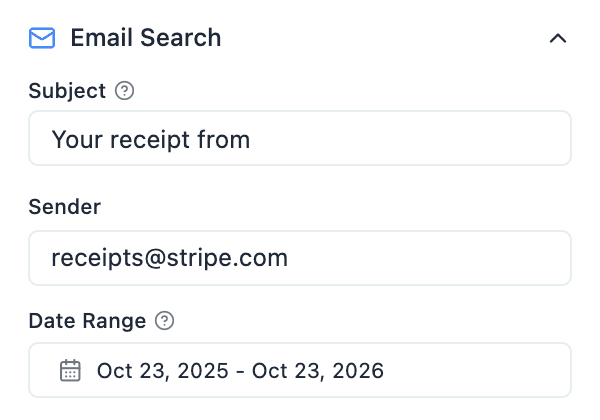
Use Gmail search operators. Filter by sender, subject, label, date range, or whether a message has attachments.
Pick the fields
you want.
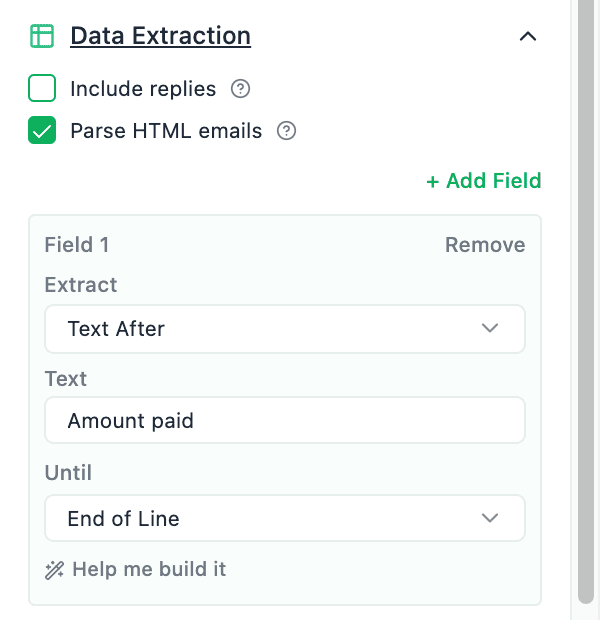
Define each field with a rule like “text after Total:”, add alternatives for formats that vary, or write a regex when you need one.
Run it once.
Or every morning.
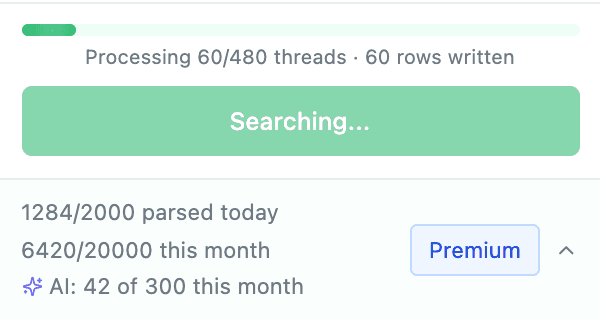
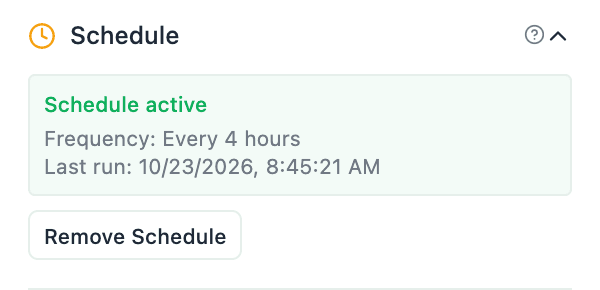
Hit Extract and watch your sheet fill. Then schedule re-runs hourly, every 4 hours, or daily, and your sheet stays current without another click.
Built for the messy
middle of business.
Receipts, leads, shipping confirmations, support tickets, ad reports, payroll stubs. The data is already in your inbox. Xtractor just gets it out, clean.
Thousands of emails. One click.
Parse thousands of emails in less time than it takes to make a coffee. Search once, and every matching message becomes a row in your sheet.
Regex when you need it.
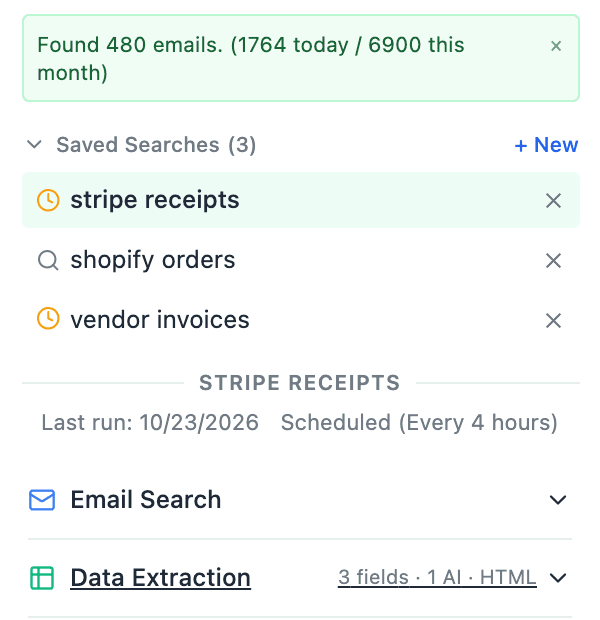
Anchor on the text before and after a value, or drop into a regex filter when the raw email source doesn't match what you see.
Set it. Forget it.
Hourly, every 4 hours, or daily. Sheets stay current while you sleep.
CASA Tier 2 certified.
Independently audited to Google's standard for apps that access sensitive data. Runs as Apps Script, so your email never passes through our servers.
Rules, not guesses.
Point at a label, choose where the value ends. No model reads your email, so results never drift.
Stop fighting
your inbox.
Most teams handle email data the same painful way. Here's the difference one Sheets add-on makes.
The old way
Copy. Paste. Pray.
- ✕Open every email, select the amount, paste into B7, repeat 4,000×.
- ✕Build a brittle Zapier flow that breaks every time the sender changes a template.
- ✕Hire an intern. Hand them a list. Hope they don’t typo any totals.
- ✕Pay for an inbox parser that uploads every message to a third party.
The Xtractor way
One panel. One install.
- ✓Search thousands of emails and extract every field you need in one run.
- ✓Rules that survive sender redesigns: anchor on labels, not pixels.
- ✓No AI model ever sees your email. Runs inside your own Google account.
- ✓Free trial on every plan, then from $5 per user per month.
Pay for what
you actually pull.
Every plan includes scheduled parsing and starts with a free trial. Annual billing saves up to 67%.
Starter
- ✓100 imports per day
- ✓1,000 imports per month
- ✓2 saved searches
- ✓2 fields per search
- ✓Scheduled parsing (Daily)
- ✕Email support
Pro
- ✓500 imports per day
- ✓5,000 imports per month
- ✓5 saved searches
- ✓5 fields per search
- ✓Scheduled parsing (Daily)
- ✕Email support
Premium
- ✓2,000 imports per day
- ✓20,000 imports per month
- ✓10 saved searches
- ✓10 fields per search
- ✓Scheduled parsing (4 Hours)
- ✕Email support
Business
- ✓10,000 imports per day
- ✓100,000 imports per month
- ✓20 saved searches
- ✓20 fields per search
- ✓Scheduled parsing (Hourly)
- ✓Email support
Need a larger plan? Bulk pricing · Contact us for a custom plan.
Quick answers.
Still have something on your mind? Contact us and we'll get back to you as soon as possible.
Do you use AI on my emails?
No. Xtractor never sends your email content to an AI model. Fields are extracted by rules you set up, and processing happens inside your Google account.
How does the free trial work?
Install the add-on and you get full access to your plan’s features during the trial. No credit card is needed to start, and you can cancel anytime.
Where does the data go?
Nowhere new. Xtractor runs as a Google Apps Script add-on, so extracted data flows directly from Gmail into your own Google Sheet. Our servers never store the contents of your emails.
Can I import any email?
Yes you can import any type of email including emails that have formats that vary.
What about attachments?
We currently don’t support attachments, but we can provide custom parsing for attachments on request.
Can I automate my imports?
Yes you can! You can create daily schedules to import your emails so that all of your emails are in your spreadsheet when you view it without any additional steps
Do you provide customizations?
We do! Just reach out to us for a custom quote.
Your inbox is already a database.
Treat it like one.
Start your free trial on Google Workspace. No credit card, and your email stays in your Google account.