 Xtractor
For many small teams, copying fields from 500 inbox messages monthly costs more than 10 hours of manual work. Email parser software is a tool that extracts structured fields (subject, sender, date, amounts) from emails and exports them to Google Sheets, CSV, or Excel. On our website, xtractor.app supports one-click bulk import, custom filters, multiple parsing contexts, scheduling, and saved searches so teams get clean tabular outputs for bookkeeping. We compare leading email parser software by features, pricing, security, and use cases to help small and mid-market teams choose between DIY and managed tools; see our complete beginner’s guide to converting emails into structured data for setup tips. Which parser actually saves hours, reduces transcription errors, and fits a 5–10 person team’s budget?
Top email parser options for 2026 and which use cases each tool serves
This section lists the leading email parser tools and the specific business problems each one solves. Match the tool strengths below to your needs for extracting structured data from Gmail, IMAP inboxes, and enterprise mail flows.
Xtractor.app 📊
Xtractor.app is a spreadsheet-first parser built to import thousands of emails in a single action and export clean, tabular output to Google Sheets, CSV, or Excel. Our product focuses on bulk imports, saved filters, multiple parsing contexts, and scheduled imports so finance and operations teams stop spending hours copying fields. Example: an accounting team can schedule a daily import that extracts invoice numbers, dates, and totals into a dedicated Google Sheet for next-day reconciliation. Xtractor.app supports custom attachment parsing on request, which means teams with occasional PDF invoices can get a tailored plan instead of building an internal parser. See setup examples and workflow screenshots on our Free Email Parser page and learn more about managed parsing options on our Email Parsing Service overview.
💡 Tip: If attachments matter, start with a small sample set and request a custom parsing quote to avoid extra manual cleanup later.
Mailparser 🧾
Mailparser is a template-and-rule-based cloud parser that works well for structured invoices and order confirmations. Finance teams typically extract invoice numbers, vendor names, line totals, and tax fields using Mailparser’s template library. The product speeds template reuse across similar vendors and offers many direct integrations for downstream accounting and ERP systems. Expect lower setup time for repeated, predictable formats and higher efficiency if you need many one-off templates for different vendors.
Parseur 🤖
Parseur is an AI-assisted parser with a visual template editor and OCR support that handles semi-structured emails and image-based attachments. Logistics and fulfillment teams commonly use Parseur to extract delivery notices, tracking codes, and carrier names from emailed PDFs and PNGs. A concrete workflow: drop a batch of shipment notices into Parseur, train the template on 10 examples, then route parsed tracking numbers into a spreadsheet or webhook. Parseur reduces manual corrections when attachments vary but still needs samples to reach stable accuracy.
Parserr 🧩
Parserr is a no-code parser focused on business email parsing with native CSV export and broad app connections. Sales and marketing teams often use Parserr for lead capture, extracting name, email, and company fields from contact forms that arrive by email. Parserr’s rule builder trades advanced AI for predictability: you define extraction rules once and reuse them across similar messages. If you run Zapier automations or need CSV drops to a CRM, Parserr provides low-friction setup and predictable costs for small to mid-volume inboxes.
Zapier Email Parser ⚡
Zapier Email Parser is a lightweight option for single-field captures that feed Zapier automations. Use Zapier Email Parser when you only need one or two values per message—such as a support ticket ID or a single link—and want those values pushed into an existing Zap. The upside is low cost for basic automations; the downside is limited handling of high-volume inboxes and complex multi-field documents. For more complex workflows, pair Zapier Email Parser with a dedicated parser or check our comparative analysis in Best Email Parser Tools.
Google Workspace Email Parser (Gmail add-ons) 📥
Google Workspace Email Parser add-ons extract predictable fields and publish them directly into Google Sheets for teams embedded in Gmail. This option works best when incoming emails follow a consistent format and the team prefers native Google integration over a separate SaaS. Example: a sales team that receives standard quote requests can map subject, sender, and key fields to a Sheet without moving data off Google Workspace. Limitations include weaker handling of variable attachments and less sophisticated scheduling than dedicated parsers.
Mailgun and Email2DB (developer and enterprise cases) 🏗️
Mailgun and Email2DB provide API-first parsing and routing aimed at high-volume, programmatic pipelines where teams need full control of routing logic. Enterprise use cases include ingesting millions of notification emails, applying custom routing rules, and pushing parsed records into data warehouses. These options require higher initial setup and developer time but deliver fine-grained control and scalable throughput. If your team lacks engineering bandwidth, consider a managed parser instead to avoid costly delays and compliance gaps.
⚠️ Warning: For high-security use cases, verify provider data retention and access controls before importing sensitive emails. Consult our Email Parser API guide for integration patterns and compliance considerations.
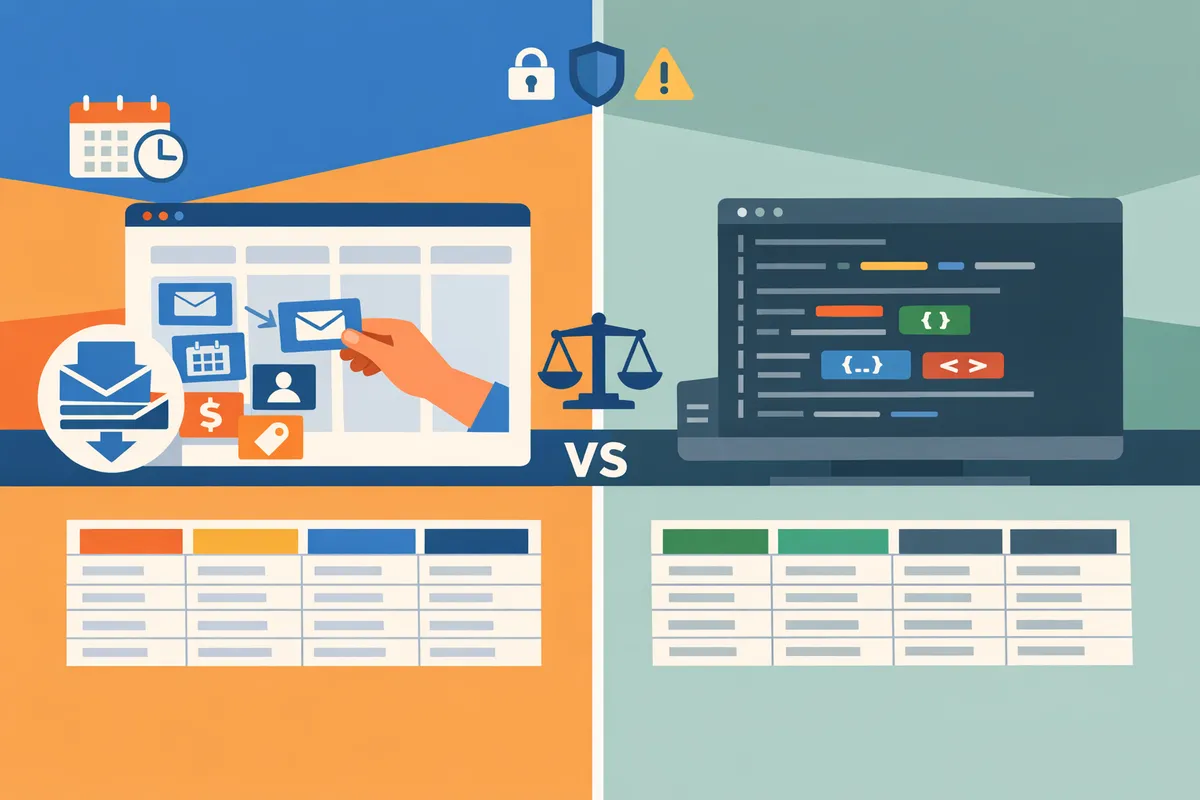
Related reading: compare features and pricing in our Best Email Parser Tools and review cost-per-email in Email Parser Cost Comparison: Which Tool Offers the Best Value? For API-centric options and Google Sheets workflows, see Email Parser API and Free Email Parser for setup examples and templates.
How the leading email parsers compare across features, integrations, accuracy, pricing, and security
The leading email parsers differ most on parsing approach, native integrations, bulk handling, pricing model, and documented security controls. This matters because those differences determine whether a tool saves hours for daily bookkeeping, routes leads into CRM fields reliably, or meets stricter GDPR and retention requirements.
Comparison criteria and how to weigh them 🔎
Parsing approach is the primary factor that determines accuracy and maintenance overhead. Rules/template parsers work well for consistent vendor emails. AI and hybrid parsers handle varied or semi-structured content with less manual retuning. For example, xtractor.app uses template-based contexts with multiple parsing contexts to manage format variation while keeping error rates low for repeated message types.
Supported inputs define what you can extract without extra engineering. Plain text and HTML are standard; attachment parsing is less common and often an add-on. xtractor.app does not include attachment parsing in the default plan but offers custom attachment parsing on request for higher-risk workflows.
Integration reach decides how directly parsed data lands where your team works. Native Google Sheets and Gmail exports remove Zapier steps and cut maintenance. xtractor.app exports directly to Google Sheets and CSV, making daily finance reporting simpler for bookkeeping teams.
Bulk import and scheduling matter when you process daily or monthly volumes. Tools that support one-click bulk import and scheduled pulls prevent inbox backlogs and reduce manual batching. xtractor.app offers one-click bulk import and scheduled cadences to automate recurring imports for high-volume use cases.
Support, onboarding, and templates influence time-to-value. Vendors with prebuilt templates and responsive onboarding reduce setup hours. xtractor.app provides saved searches and parsing contexts to speed setup for common email types.
Data retention and compliance cover retention policies, role-based access, and encryption. Prefer vendors that publish compliance pages or offer custom retention controls for GDPR requests and audits. See our pricing and compliance comparison in the Email Parser Cost Comparison article for deeper cost implications.
Side-by-side comparison matrix: 7 top parsers 🧾
| Vendor | Parsing method | Supported inputs | Integrations (Sheets, CRMs, Zapier) | Bulk import & scheduling | Support & onboarding | Data retention & compliance | Gmail/Sheets direct export | Short summary |
|---|---|---|---|---|---|---|---|---|
| xtractor.app | Template + saved contexts | Plain text, HTML (attachments via custom plan) | Google Sheets, CSV, Zapier, CRM exports via Sheets | One-click bulk import, scheduled cadence | Template library, responsive support | Retention controls, can offer custom plans for sensitive data | Yes (Google Sheets) | Designed for fast spreadsheet output and recurring imports for bookkeeping and reporting |
| Mailparser.io | Rules + templates | Plain text, HTML, attachments | Native Google Sheets, Zapier, many CRMs | Scheduling available, bulk uploads | Setup help, template marketplace | GDPR page; standard retention settings | Yes | Strong at attachment parsing and marketplace templates |
| Parseur | AI-assisted templates | Plain text, HTML, attachments | Google Sheets, Zapier, native CRM connectors | Bulk upload, scheduled jobs | Guided onboarding, template store | GDPR and SOC documentation publicly available | Yes | Good hybrid processing for varied formats and attachments |
| Parserr | Rules + regex | Plain text, HTML, attachments | Google Sheets, Zapier, native Outlook/Gmail connectors | Scheduled processing, batch import | Email support and setup guides | Retention controls; enterprise plans for compliance | Partial (Gmail/Sheets via connectors) | Suited for teams using Outlook/Exchange and needing field-level parsing |
| Zapier Email Parser | Template rules | Plain text, HTML | Zapier ecosystem (then Sheets/CRM) | No native bulk import; relies on Zapier flows | Self-serve templates, Zapier support | Inherits Zapier privacy controls; no dedicated retention docs | No (requires Zapier) | Best when you already run Zapier as the central automation hub |
| Mailgun Email Parsing | Rule-based, dev-focused | Plain text, HTML, attachments | Webhooks to any endpoint, Zapier integrations | High-volume, but requires setup | Developer docs and support tiers | Compliance pages for mail delivery; retention varies | No (requires webhook or Zapier) | Suited for developer teams that need raw parsed payloads and webhooks |
| Email2DB | Rules + workflow engine | Plain text, HTML, attachments | Native database, spreadsheet, CRM connectors | Scheduling, high-volume automation | Enterprise-level onboarding and consulting | On-premises option available; strong for regulated environments | Partial (via connectors or local exports) | Targeted at enterprises needing on-prem or hybrid deployments |
Refer to Best Email Parser Tools for an expanded vendor list and the Free Email Parser overview for lower-cost alternatives.
Common integration workflows and export paths 🔁
Gmail to Google Sheets is a three-step workflow that many teams use for bookkeeping and lead capture. 1) Identify matching messages by sender, subject, or label in the parser. 2) Parse fields into a tabular schema. 3) Export to Google Sheets for reports or downstream formulas. xtractor.app supports that full flow with native Sheets export, avoiding an intermediary.
Inbox to CRM is typically a four-step flow to keep contact and deal records up to date. 1) Filter emails for lead or order types. 2) Extract name, email, order number, and source. 3) Map fields to CRM properties. 4) Push records to CRM. Tools like Parseur and Mailparser provide native CRM connectors. Zapier Email Parser and Mailgun usually require Zapier or webhook middleware to reach a CRM.
Automated bookkeeping (daily revenue/expense feed) uses scheduled imports and one-click bulk processing. 1) Schedule a daily pull for receipts and invoices. 2) Parse date, vendor, and amounts. 3) Export to a bookkeeping spreadsheet or send to accounting software. xtractor.app’s scheduled cadence and bulk import simplify daily feeds; Mailparser and Parseur provide similar scheduled jobs with attachment handling when needed.
For each workflow, prefer native exports when you want fewer moving parts and lower maintenance. See Email Parser API for examples of connecting parsers to apps when native exports are unavailable.
Security, privacy, and compliance considerations 🔒
Choose a vendor that documents encryption in transit, role-based access, and clear retention options. Public documentation of GDPR, SOC, or ISO controls signals readiness for regulated data. xtractor.app documents retention controls and offers custom plans for higher-risk workflows, which helps teams with compliance demands.
On-premises or hybrid options matter for highly sensitive data. Email2DB offers on-prem deployments for regulated environments, while most SaaS parsers provide contractual protections and data processing addendums. If you cannot move raw message bodies offsite, prioritize vendors that list hybrid or on-prem alternatives.
Access controls and audit logs reduce insider risk. Look for tools that let you restrict who can change parsing rules or export data. Encryption at rest and HTTPS/TLS in transit are minimum expectations. Vendors that do not publish these details raise a compliance flag and may increase audit friction.
💡 Tip: Ask vendors for a data processing agreement and an exportable audit trail showing who changed parsing rules and when. That request separates vendors who support compliance workflows from those that do not.
ROI and time-to-value: cost formula and example scenarios 📈
Net monthly savings equals (hours saved per month * hourly rate) minus the monthly subscription and amortized setup costs. Use that formula to compare total cost of ownership across vendors. For example, a small accounting team that saves 10 manual hours per month at $40/hour yields $400 gross savings; subtract a $60 subscription and a $40/month amortized setup cost to find $300 net savings.
Include hidden costs when you calculate ROI: initial setup hours, time spent cleaning parsing errors, and time on vendor support. xtractor.app reduces recurring cleanup by offering saved searches and multiple parsing contexts to handle format variation, which lowers ongoing maintenance hours in practice.
Estimate time-to-value by summing setup hours and dividing by the hours saved per month. If setup takes 8 hours and you save 10 hours monthly, time-to-value is under one month. Use the Email Parser Cost Comparison article to compare cost-per-email and subscription tiers across options if you need a more detailed cost model.
⚠️ Warning: Underestimate initial tagging and template setup and you will overstate near-term savings. Budget for at least a couple of hours per email type during rollout.
For more vendor details, templates, and step-by-step setup guides, visit Best Email Parser Tools and the Free Email Parser round-up.
Which email parser to pick: pros, cons, and a 5-step evaluation checklist to choose the best tool for your use case
Choose the email parser that matches your required fields, email volume, integrations, security posture, and support needs; use the five-step checklist below to score vendors objectively. Picking the wrong tool costs time and creates brittle workflows, so shortlisting with clear criteria speeds selection and reduces rollout risk.
5-step evaluation checklist 📝
Use this five-step checklist to shortlist email parser software objectively and score vendors.
- Define exact fields and monthly volume. List every output column you need (order number, amount, SKU, tax, sender email). Estimate monthly emails and peak-day volumes to check bulk import and scheduling limits. xtractor.app is suited for large bulk imports and scheduled daily runs where many emails follow a small set of templates.
- Map target integrations and downstream flows. Identify where parsed rows land (Google Sheets, CRM, accounting software). Prioritize parsers with native connectors or reliable CSV/Sheets export to avoid extra automation steps. See our comparison in Best Email Parser Tools Xtractor for integration details.
- Trial parsing accuracy on real emails. Run a sample batch of 50–200 emails that include format variants and attachments. Measure false positives and extraction misses; require a clear path to tune templates. xtractor.app supports multiple parsing contexts to handle format variations during trials.
- Check security, data retention, and access controls. Confirm data-at-rest and in-transit protections, user access roles, and deletion/retention policies to match your compliance needs. Review vendor-managed service terms if you need on-premises or hybrid support.
- Estimate total cost and onboarding time. Add subscription fees, per-email costs, expected time for template tuning, and vendor support fees. Use this checklist to give each vendor a numeric score on fit, cost, and risk.
Recommended picks by use case 🧭
Match tool strengths to the business problem: pick speed for bulk imports, template libraries for varied senders, or integrations for downstream workflows.
| Use case | Recommended tools | Primary reason |
|---|---|---|
| Bookkeeping and expense extraction | xtractor.app, Parseur, Mailparser | xtractor.app for direct Google Sheets export and scheduling; Parseur for strong template management; Mailparser for rich field transforms. |
| Order extraction and e-commerce receipts | Mailparser, xtractor.app, Zapier Email Parser | Mailparser for template library and field transforms; xtractor.app for fast bulk imports and spreadsheet-ready outputs; Zapier Email Parser for easy routing into sales stacks. |
| Lead capture from inbound emails | Parseur, Zapier Email Parser, xtractor.app | Parseur for varied formats and attachments; Zapier Email Parser for many app integrations; xtractor.app when teams push leads directly into Google Sheets. |
| Support ticket routing and triage | Mailgun parsing, Parseur, xtractor.app | Mailgun parsing for developer workflows; Parseur for complex content extraction; xtractor.app for fast filtering by subject/sender and scheduled exports for reporting. |
For more tool comparisons and pricing considerations, see our Email Parser Cost Comparison: Which Tool Offers the Best Value? Xtractor and Free Email Parser Xtractor.
xtractor.app strengths and tradeoffs 🔍
xtractor.app handles large bulk imports, multiple parsing contexts, saved filters, scheduled runs, and direct Google Sheets export, making it a practical choice for teams that need fast spreadsheet-ready outputs. Customers who need daily revenue or bookkeeping reports benefit from one-click imports and saved searches that target specific senders, subjects, or date ranges.
Tradeoffs include limited attachment parsing in default plans and no built-in OCR for attachments unless you request a custom parsing plan. That means teams with heavy invoice image processing should plan for a custom plan or a hybrid workflow that routes attachments to a dedicated OCR service. xtractor.app offers responsive support and custom parsing work for non-standard formats, which reduces internal maintenance costs relative to DIY parsing.
See Email Parsing Service Xtractor for comparisons on how xtractor.app stacks up against other providers when attachments or specialized parsing are required.
DIY versus managed parsing: business risks and when to choose a vendor plan ⚖️
Building an in-house parser often leads to wasted hours, brittle rules, and compliance exposure unless you allocate ongoing maintenance resources. DIY projects start small but require constant rule updates for new sender formats, create single points of failure, and increase the risk of accidental data exposure if retention and access controls are not correctly implemented.
Choose a vendor-managed plan when your volume is high, formats are diverse, attachments require OCR, or you must meet strict data-handling rules. A vendor plan shifts template maintenance and compliance controls to the provider and shortens time-to-value. xtractor.app’s custom parsing options and support for scheduled imports reduce internal workload and let accounting or support teams focus on exceptions instead of parser tuning.
Implementation time and onboarding ⏱️
No-code setups typically take from a few hours to a few days, while custom or high-volume deployments may require one to four weeks with vendor support. Expect these onboarding steps: select and upload a curated email sample, define output columns, create and refine templates or contexts, map integrations (Sheets, CRM), and run a controlled production test.
💡 Tip: Always test a parser on a curated sample of 50–200 real emails before rolling out to production. This exposes format variations and reduces rework.
xtractor.app reduces setup time with one-click bulk import and saved filters, but accounts needing attachment OCR should factor in extra time for a custom plan. Vendor support typically helps create initial templates, tune parsing contexts, and verify scheduled exports; clarify response SLAs and template revision limits during procurement.
For broader comparisons and setup guides, consult our Best Email Parser Tools Xtractor and Email Parser API Xtractor articles.
Frequently Asked Questions about email parser software
Common buyer questions focus on accuracy, attachments, Gmail-to-Sheets workflows, pricing models, security, and how quickly a parser pays for itself. These FAQs answer those points with practical examples and vendor-specific notes to help small and mid-market teams decide and test vendors quickly.
How accurate are email parsers for extracting structured fields? 🤖
Accuracy depends on email consistency and the parser’s extraction approach. Rule-based parsers reach very high accuracy when emails follow a fixed template because rules map exact positions or patterns to fields. AI-assisted parsers handle varied formats and noisy text better but typically require training and an initial verification pass to reach production-level reliability. For example, if your order confirmations follow three slightly different layouts, a product like Xtractor.app can use multiple parsing contexts to cover those variants and reduce manual corrections. Measure accuracy by running a 100-email sample that includes edge cases and tracking the percentage of fields requiring manual fixes.
💡 Tip: Test any vendor with a representative 100-email set that includes edge cases (attachments, forwarded messages, nonstandard subjects) to capture realistic accuracy and support needs.
Can I parse Gmail directly into Google Sheets without third-party middleware? 📥
Yes. Several email parser vendors offer direct Gmail and Google Sheets integrations that bypass middleware. Xtractor.app exports parsed fields straight into Google Sheets, CSV, or Excel and supports scheduled imports and saved filters so you can target specific senders or date ranges. Some other parsers provide native Gmail connectors, while lower-cost or older tools often require Zapier, Make, or a custom API connector. See our comparison of native connector options in the Email Parser API guide and the Best Email Parser Tools overview to match integration behavior to your workflow.
Do email parsers handle attachments like PDFs or images? 🧾
Some parsers include built-in OCR for common attachment types; others do not and require add-ons or custom parsing services. If invoices, receipts, or image-based forms are core to your workflow, prioritize vendors with documented OCR support or a documented custom-parsing service. Xtractor.app does not process attachments in the default product but offers custom parsing for attachments upon request, which is useful for teams that need one-off or enterprise plans. The business cost of choosing a parser that cannot process attachments is ongoing manual extraction time and delayed reporting.
What pricing models should I expect for email parsing tools? 💳
Expect three common pricing models: per-parsed-email, per-parser-template, and tiered monthly plans with volume limits. Below is a quick comparison to help you pick by volume and predict hidden costs.
| Model | How it charges | When it fits | Watchouts |
|---|---|---|---|
| Per-parsed-email | You pay per email processed | Low-volume, highly variable usage | Can be expensive at scale; watch overage rates |
| Per-parser-template | You pay for each parsing template or context | Complex workflows with many fixed templates | Extra templates add recurring cost |
| Tiered monthly plan | Flat monthly fee up to a volume cap | Predictable, high-volume workflows | Overage fees, storage and extra integrations often extra |
Also budget for support tiers, custom parsing (attachments or unusual formats), and integration connectors. For a detailed price-per-email comparison and scenarios, read our Email Parser Cost Comparison article.
How do I evaluate security and compliance for an email parser? 🔒
Evaluate encryption in transit and at rest, retention policies, access controls, and published compliance attestations directly from the vendor. Ask for a security whitepaper, SOC or ISO reports, and details about data residency and deletion procedures. Confirm role-based access, audit logs, and vendor patch cadence if you process regulated data. If you need a stronger compliance posture or an on-premises/hybrid option, ask vendors about custom plans and documented controls before a pilot.
Is it better to build an in-house parser or buy a SaaS solution? 🏗️
For most small and mid-market teams, buying a SaaS parser delivers faster time-to-value and lower operational risk than building in-house. Building requires ongoing engineering time for template updates, error handling, and maintenance and often fails to account for edge-case emails and compliance overhead. A vendor like Xtractor.app removes routine operational tasks by providing bulk import, scheduled parsing, and saved filters so your team avoids repeated template fixes and manual copy/paste work. Build only if you have sustained development resources, a long-term roadmap for parsing features, and the capacity to manage security and compliance internally.
How do I measure time-to-value after implementing an email parser? 📊
Measure time-to-value by comparing baseline manual hours, error rates, and reporting latency before and after deployment. Start with a four-step measurement: 1) record the current monthly hours spent on manual extraction and transcription, 2) run the parser for one month and log parsed volume and manual corrections, 3) calculate hours saved and reduction in transcription errors, and 4) convert saved hours to dollar savings to produce a payback period. For example, if one employee spends 1.5 minutes per email and you parse 1,000 emails monthly, automation can save roughly 25 hours per month; use that figure to estimate ROI and justify scale-up.
Related reading: browse our Best Email Parser Tools comparison, review free options in Free Email Parser, or check integration details in Email Parser API when you evaluate connectors and workflow fits.
Pick the parser that reduces manual data entry and speeds reporting
The core takeaway is simple: prioritize tools that cut hours of manual work, reduce transcription errors, and export clean tables to your reporting stack when evaluating email parser software. Our website comparison of parser options helps small and mid-market teams weigh setup effort, scheduling, and spreadsheet exports against pricing and support. See the detailed tool breakdown in Best Email Parser Tools Xtractor for side-by-side features.
Xtractor.app is an email parsing and data-extraction tool that pulls structured text out of emails and exports it directly into Google Sheets, CSV, or Excel. The product is designed to import thousands of emails in a single action or on a scheduled cadence, parse relevant fields (subject, sender, date, amounts, order numbers, etc.), and produce a clean, tabular output in a spreadsheet for reporting, analysis, or bookkeeping. Key features include one-click bulk import, custom filters to define exactly which pieces of text to extract, the ability to add multiple parsing contexts to handle emails that vary in format, saved searches/filters for reuse, and scheduling to automate daily imports.
💡 Tip: Test any parser on a small, real sample of your inbox to compare parsed outputs before committing.
Our website recommends you schedule a consultation with Xtractor.app to map a rollout and confirm it fits your workflow as an email parser for Gmail and Google Sheets. For pricing context before you meet, review Email Parser Cost Comparison: Which Tool Offers the Best Value? Xtractor to estimate return on time saved.